| Previous
|
|


Assessment Dashboard
The Assessment Dashboard screen will guide users through their scheduled exam and ensure they complete required steps before starting the test.
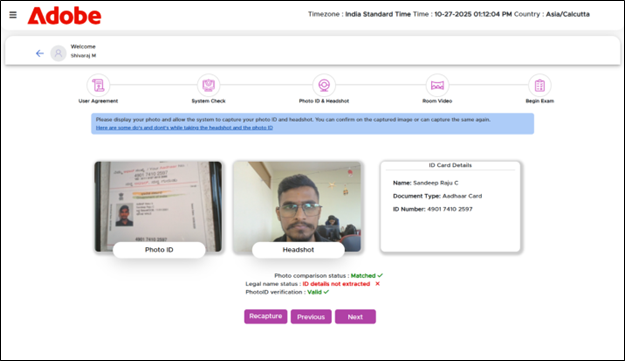
Header Section of Assessment Dashboard
The header section displays the Adobe logo on the left and the System information such as Time zone, Current date and time and Region, on the right. This help the users verify that the exam is being accessed in the correct time zone.
Exam Schedule Section
This section displays details of the user’s exam such as Exam name, Exam Status badge (Upcoming/Active) and Date and Time. Also, any accommodation requested and confirmed by the candidate can be accessed via the Assessment Dashboard.
 Other Topics