Activities on the Day of exam
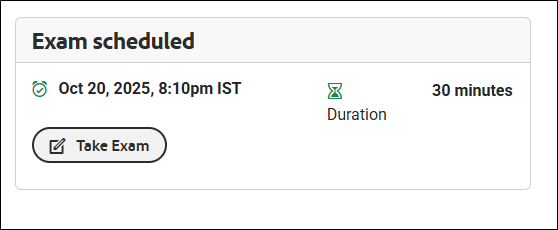
Candidates can complete the system check prior to the exam start time. The Take Exam button will become active only at the scheduled start time. (See image below for reference.)
-
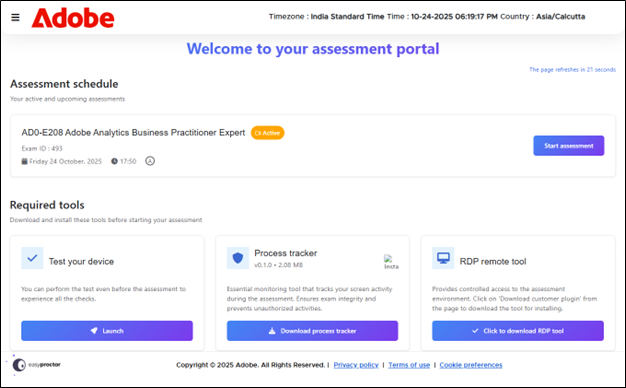
Click the Take Exam button to navigate to the Assessment Dashboard page.
-
Start Assessment button will be enabled only at the scheduled start time.
-
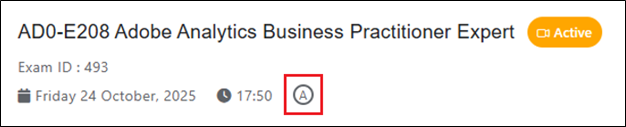
Any accommodation requested and confirmed by the candidate can be accessed via the Assessment Dashboard. Look for the
 icon on the Assessment Schedule tile.
-
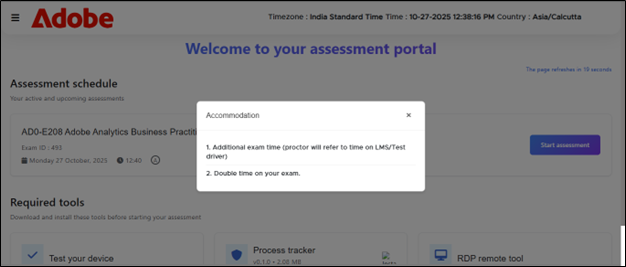
Upon clicking the icon, the candidate’s selected accommodations will be revealed.
 Exam Day Checklist
Proceed to Exam
Active test session
Pause and Resume in Live Automated Proctoring
Live Automated Proctoring
Auto-Pause Triggered by AI Flags During Assessment
Exam Day Checklist
Proceed to Exam
Active test session
Pause and Resume in Live Automated Proctoring
Live Automated Proctoring
Auto-Pause Triggered by AI Flags During Assessment