Proceed to Exam
The AI system will automatically compare your Photo ID with your headshot, and extract key details such as your legal name from the ID. The captured details are then cross verified with the information already stored in the application to ensure accuracy and consistency.
If all verification points are successfully matched, the Take Exam button will be displayed, allowing you to proceed without proctor intervention.
If there are any mismatches, your verification will be routed to a proctor for manual review. Once approved, the Take Exam button will become available.
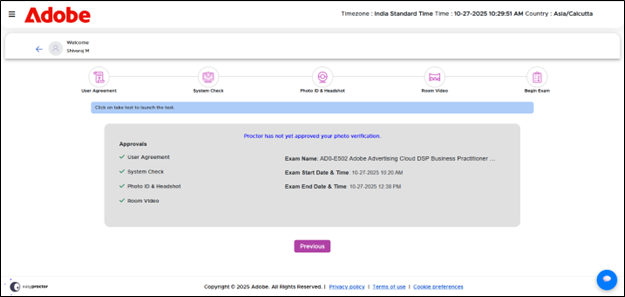
After the candidate submits their photo ID, headshot, and room video, the proctor will review and approve the verification. During this review period, an inline message will appear stating: “Proctor has not yet approved your photo verification.”
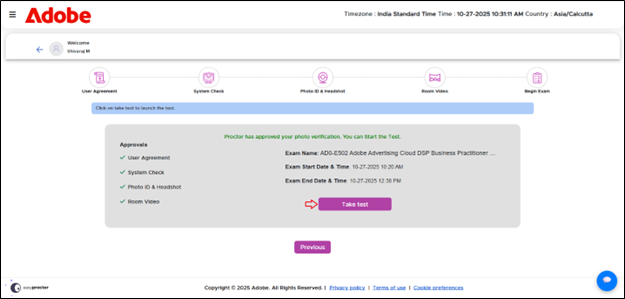
Once the proctor completes the verification, the Take Test button will become visible, allowing the candidate to proceed.

|
Even if you complete the pre-assessment checks ahead of the scheduled time and the Take Exam button is visible, you will not be able to begin the test until the scheduled start time |