
Secure Assessment Setup & Monitoring Overview
Before starting your online proctored assessment, you will be guided through a series of pre-checks to ensure a secure and smooth experience. These include accepting the End User License Agreement (EULA), capturing a clear headshot, uploading a valid photo ID, and recording a room scan video of your surroundings. Each step comes with specific guidelines—please follow them carefully to avoid any delays or rejections. Completing these checks successfully is essential before you can launch your assessment.
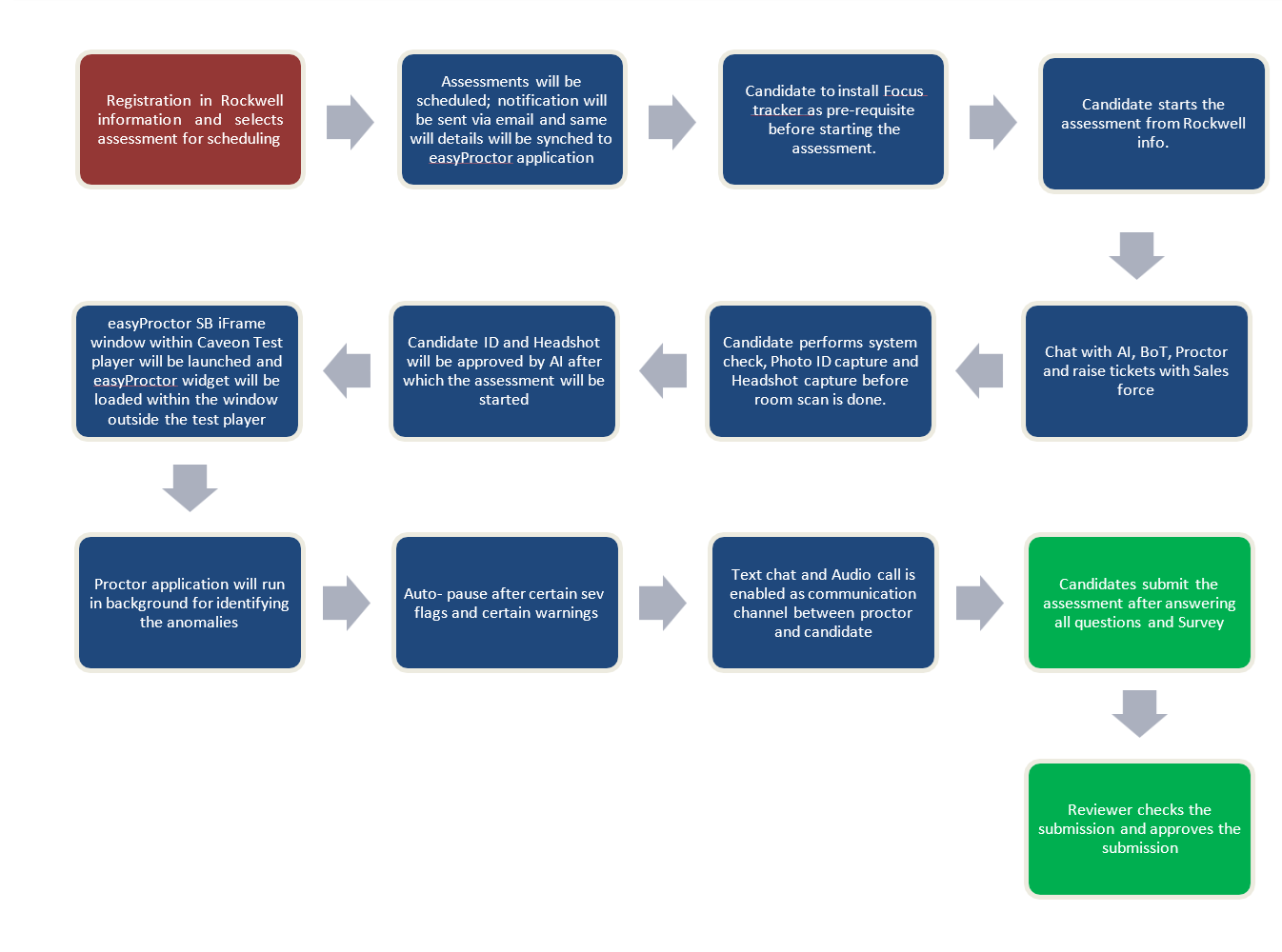
During the assessment, you will be monitored by an AI-powered proctoring system. If any suspicious behavior is detected, you will receive an on-screen warning. After four such warnings, your session will be automatically paused, and a live human proctor will review the situation to either resume or terminate the assessment. You can reach out to the proctor via live chat, raise a support ticket, or ask the AI assistant for help with basic workflow questions at any time. Please make sure to follow all assessment rules and the code of conduct throughout the session to ensure a fair and uninterrupted experience.
Next
