System Check – Hardware & Network Validation
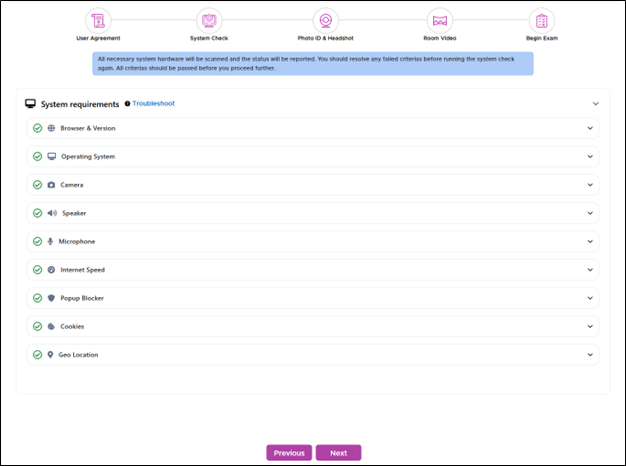
The System Check verifies all essential hardware and network components required for proctoring the assessment.
-
Candidates are presented with a list of pre-requisite checks, indicating which items have passed and which have failed.
-
This process helps ensure the system is fully compatible and ready for a secure assessment experience.
Common Reasons for System Check Failures
System checks failures before a live proctoring exam typically occur due to hardware, software, or connectivity issues that prevent the exam platform from verifying your setup.
-
Webcam Not Detected or Malfunctioning - The system cannot access your webcam.
-
Microphone Issues - Microphone is muted, not connected, or inaccessible.
-
Poor Internet Connectivity - Unstable or slow internet speed below platform requirements.
-
Unsupported Browser or Outdated Version - Using a browser that’s not compatible (e.g., Internet Explorer) or running an outdated version of Chrome, Firefox, or Edge.
-
Blocked Permissions - Camera, microphone, or screen sharing permissions are denied.
-
Background Applications Running - Apps like Zoom, Teams, or screen recorders interfere with proctoring tools.