Previous

Video Graphic Library verification error
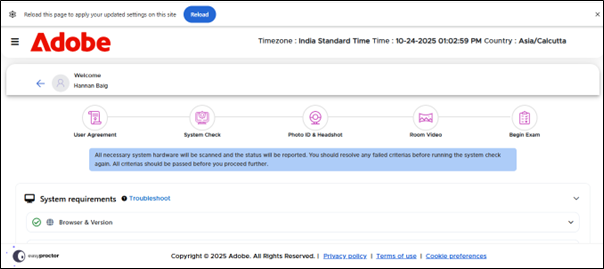
If candidate facing issue on Vide Graphic Library Verification. Please follow below steps.
Step1:
Navigate to chrome://settings/system. Make sure use graphics acceleration when available option enabled.
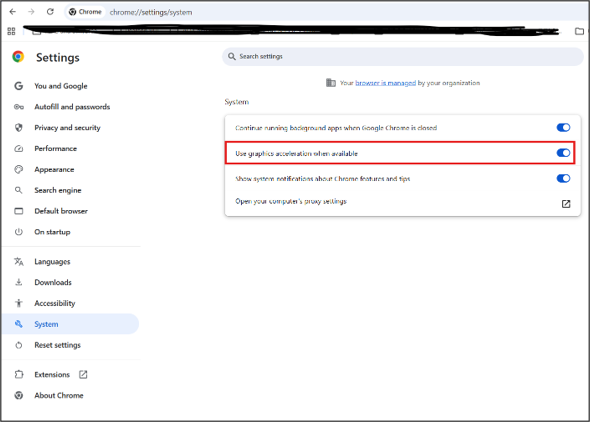
Step2:
If above step doesn't work Navigate to chrome://flags/#ignore-gpu-blocklist and enable "Override software rendering list".
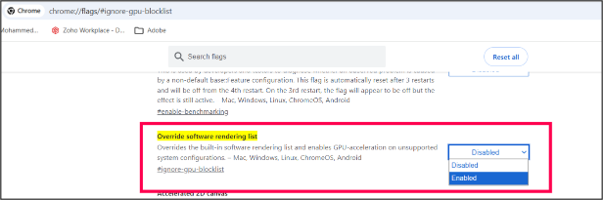
Step3:
Navigate to chrome://flags/#enable-unsafe-webgpu and enable below configuration
A. "Unsafe WebGPU Support"
B. "Force High Performance GPU"
C. "WebGPU Developer Features"
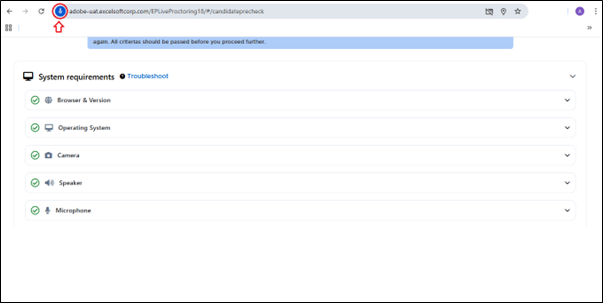
Next
Best Practices Operating Procedure
