Previous

Showing error “Process tracker not running” – even application is installed and it is running
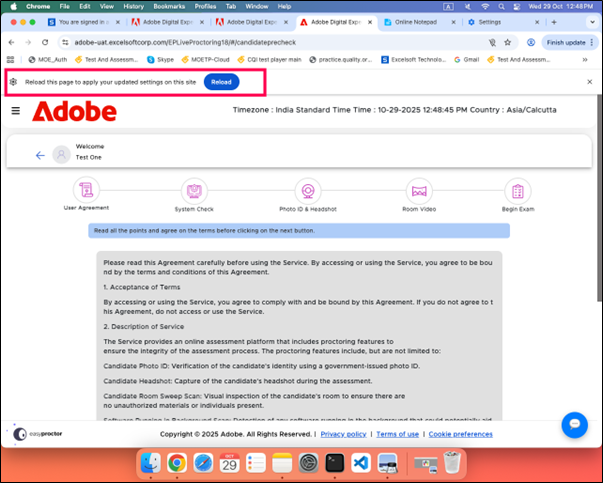
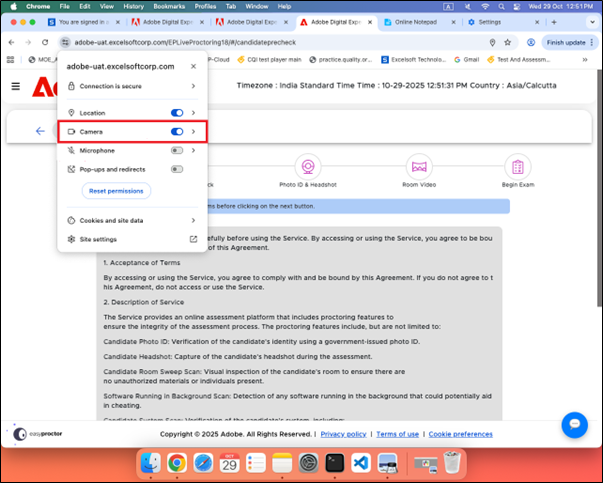
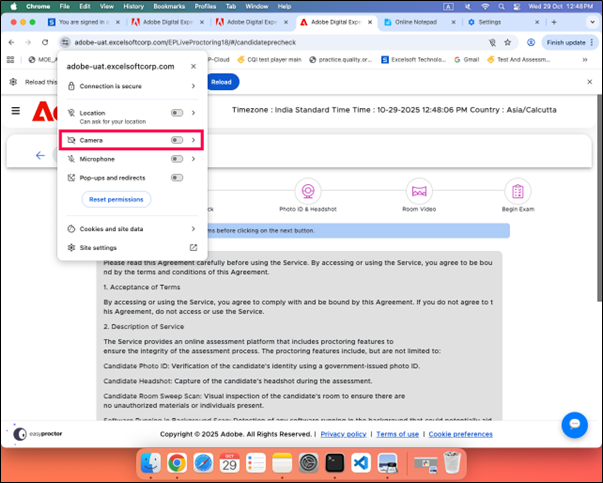
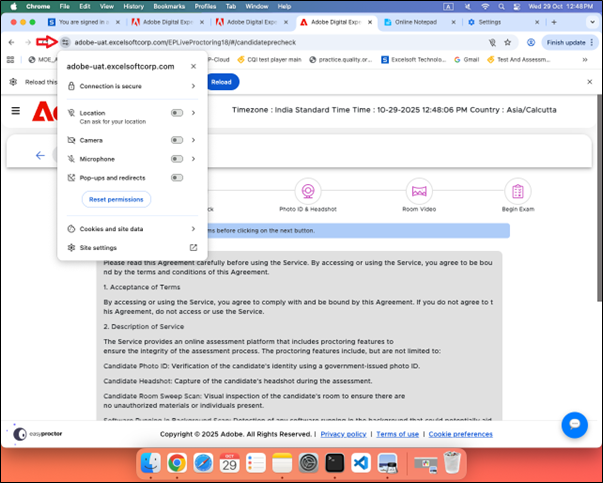
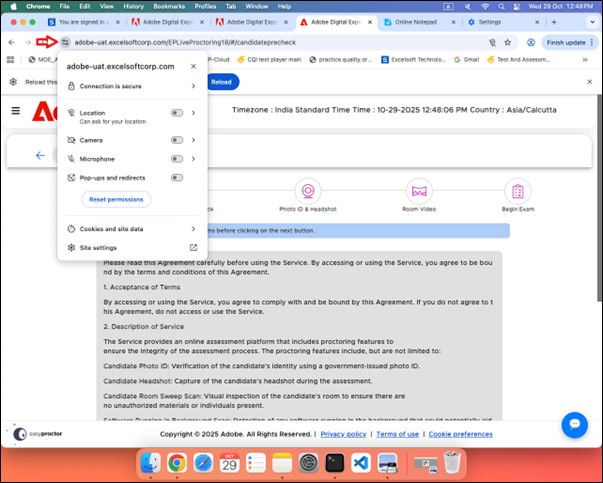
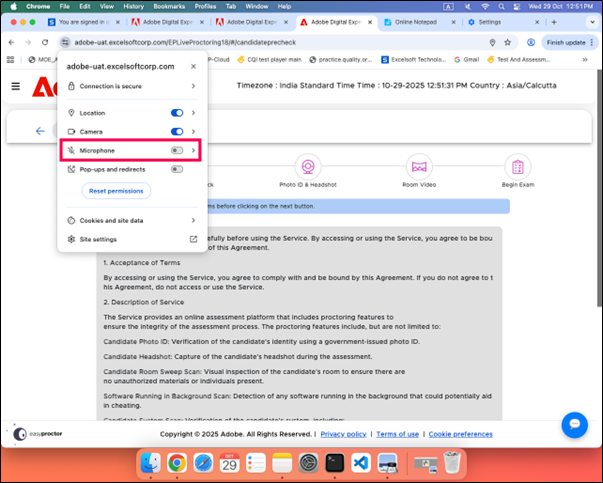
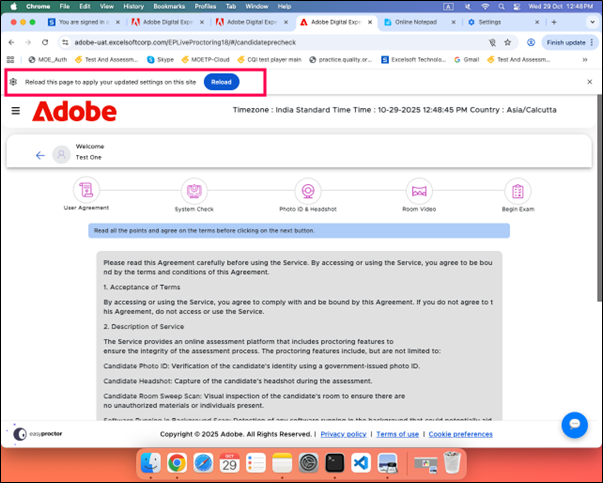
Step1: Click the View Site Information icon to the left of the address bar to open the site settings, then toggle Local Network Access.
Note: If Local network access is not available. Please enable it by follow below step.
-
Address bar type chrome://flags
-
Search for Local network access
-
Local Network Access Checks –Select Enabled.
-
After above steps Local Network Access will be enabled.
Step2: If enabling local network access does not resolve the issue.
Please following below steps to verify the functioning of process tracker:
1. Please open the below URL in a new Chrome window
http://localhost:3000/health
2. Output should be
If the output appears like this, there is no issue with the Process Tracker running. The issue needs to be checked with the Application team.
Note: This output is for Windows; on macOS, the version will be different.
Step3:
Method1:
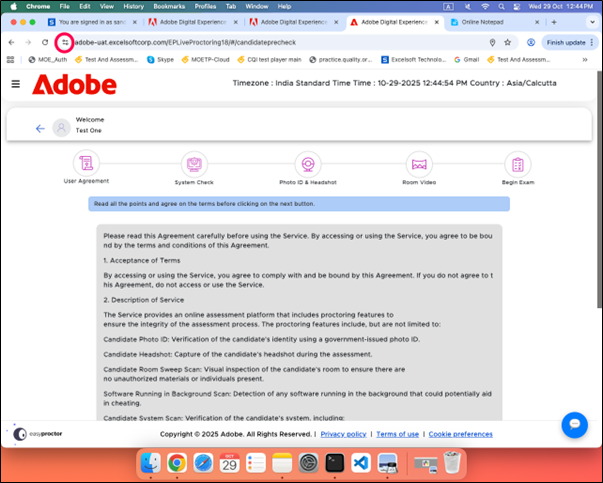
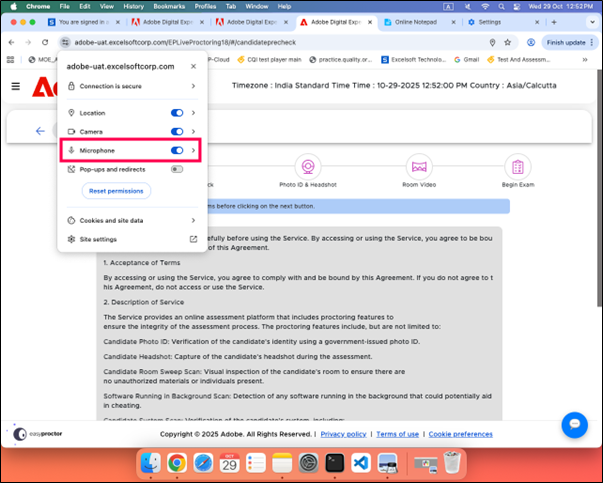
Click the View Site Information icon to the left of the address bar to open the site settings, then toggle Apps on device.
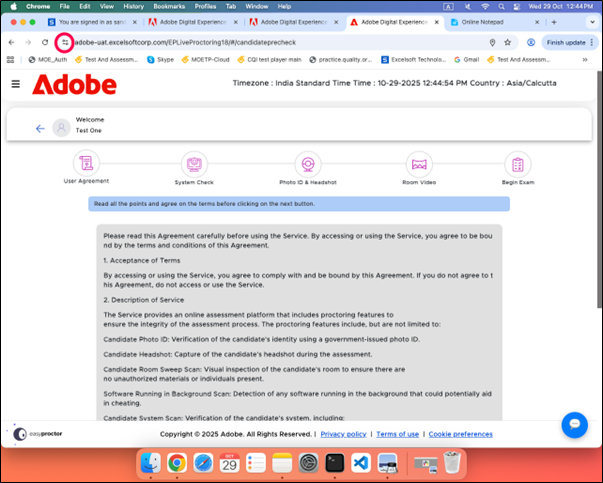
Method2: Chrome settings also allow Apps on Device
Step4: If port 3000 is used by any processes. Which we should highlight to candidate
Method1: In windows machine
Goto command prompt:
Type the command below command which is used to identify the process which using by port 3000
netstat -ano | findstr :3000
Currently process tracker is using by the port 3000
If any other application is using by the port, we should ask the permission of candidate to close the application.
We can search by using PID in task manager and close the application.
If any other system process is used by the port, we should inform the candidate.
Method2:
Mac machine
Goto Terminal.
Step1: Below command to identify process running on port 3000
lsof -t -i :3000
Step2: below command to find information on pid
ps -fp [PID]
Step3: below command to kill the process. Note: please inform candidate to kill from their end
kill [PID]
Next
Experiencing low internet speed despite high-speed connectivity at the candidate’s end.
