Proctor System Check
-
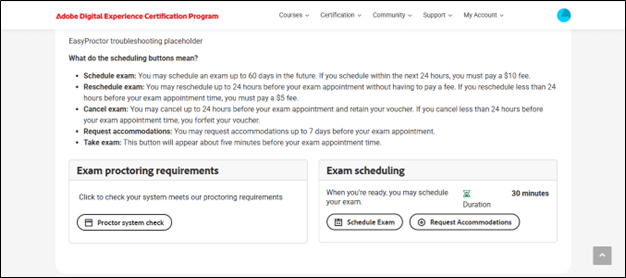
Click the Proctor System Check button to verify that your device meets all the necessary requirements for online proctoring.
-
You will be redirected to the Exam Proctoring System Check page.
-
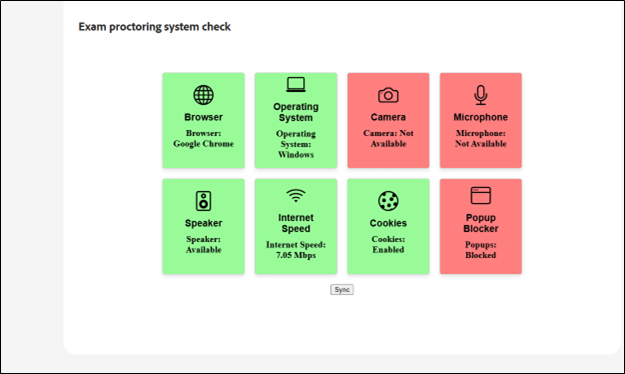
If any checks fail or required permissions are disabled, the status will appear as Not Available or Blocked.
-
To proceed, grant the necessary permissions or enable the required settings.
-
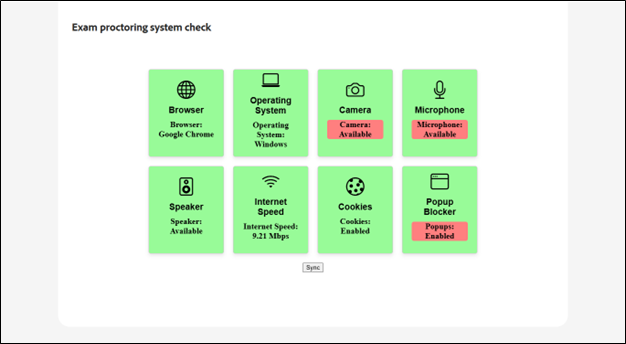
Then click the Sync button to refresh and update the system check.
-
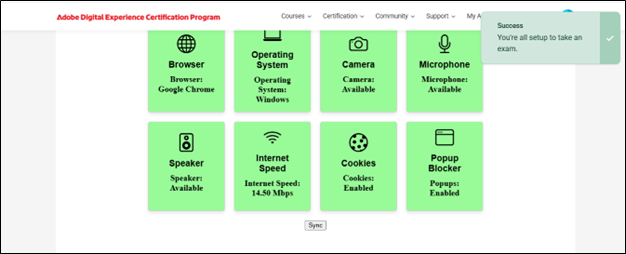
Once all requirements are confirmed as Available or Enabled, a success message will appear on the screen, as shown in the image below.