Accommodation
Access to accommodation is limited to those that have been pre-approved for the candidate. Candidate can submit a request by clicking the Request Accommodations button located in the Exam Scheduling section, as shown below.
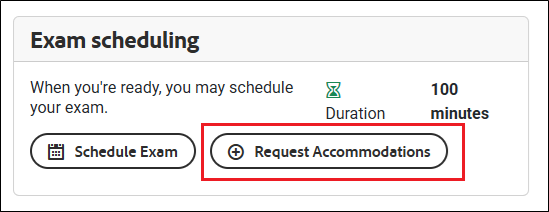
When candidates click the Request Accommodations button, a pop-up window titled Request Exam Accommodations will appear.
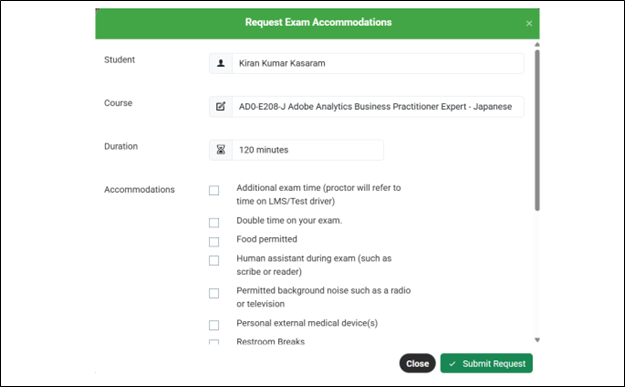
• Select the required accommodations by ticking the relevant checkboxes.
• After making your selections, click the Submit Request button to finalise and complete the process.
If accommodations were requested during exam booking or scheduling, the proctor will review and verify the submitted details.
How is it applied?